
Runable: Automate Anything with a Prompt
I was the sole designer at Runable, responsible for shaping the entire product experience from scratch. My role involved envisioning how users would interact with the platform, simplifying complex AI features into intuitive workflows, and crafting a seamless brand identity. I also led the design of the web interface and visual language, aiming to create an interface users would genuinely enjoy using.
My Role
Founding Designer
Team Members
Umesh (CEO), Ankit (Frontend), Saksham (CTO)
Company
Runable
Tools
Figma, Rive, Midjourney, ExcaliDraw
Timeframe
May 2025 - July 2025
Location
Bengaluru

Hi, Saksham
What can I help you Automate
Ask runable to automate...
1000
Marketing Agent
Coding Agent
Freelance Agent
Research Agent
Runable
Today
Connect my linkedin to...
Connect my linkedin to...
Connect my linkedin to...
Connect my linkedin to...
Last 30 days
Connect my linkedin to...
Connect my linkedin to...
Got Feedback? DM us 💬
Contact us!

Saksham
Beta
saksham@runable.xyz
Trigger
Scheduled
API
Connect my linkedin to and to some linkedin to and to some ...
+2

Trigger
Scheduled
API
Connect my linkedin to and to some linkedin to and to some ...
+2
Trigger
Scheduled
API
Connect my linkedin to and to some linkedin to and to some ...
+2
Trigger
Scheduled
API
Connect my linkedin to and to some linkedin to and to some ...
+2
Trigger
Scheduled
API
Connect my linkedin to and to some linkedin to and to some ...
+2
My workflows
Explore workflows created by you
Last Edited
Load more
Trigger
Scheduled
API
Connect my linkedin to and to some linkedin to and to some ...
+2
Trigger
Scheduled
API
Connect my linkedin to and to some linkedin to and to some ...
+2
Trigger
Scheduled
API
Connect my linkedin to and to some linkedin to and to some ...
+2
Trigger
Scheduled
API
Connect my linkedin to and to some linkedin to and to some ...
+2
Trigger
Scheduled
API
Connect my linkedin to and to some linkedin to and to some ...
+2
Trigger
Scheduled
API
Connect my linkedin to and to some linkedin to and to some ...
+2
My workflows
Explore workflows created by you
Last Edited
Load more
Runable
Scroll to explore Workflows
Runable
New Chat
Today
Send weekly reports to...
Post daily updates to...
Share new articles to...
Find new leads via...
Last 30 days
Message group memb.....
Connect my linkedin to...
Got Feedback? DM us 💬
Contact us!
Saksham
Beta
saksham@runable.xyz
Overview
Runable is an AI-first platform that enables users to automate any task they perform on their computer using simple chat prompts. By connecting desktop and web apps intelligently, it allows people to create powerful workflows without needing technical skills. The platform aims to make automation accessible to everyone — from professionals to senior citizens and kids.

Design Process
Empathize:
I began by understanding users’ pain points with existing automation tools. Many found them too technical or intimidating, which reinforced the need for a conversational, easy-to-use interface.
Prioritization:
Based on user insights and team discussions, I prioritized features that made the biggest impact — such as natural language automation creation, simple onboarding, and clear system feedback.
Interaction Design:
This stage involved creating user flows, information architecture, and wireframes. The goal was to make every step — from writing a prompt to running an automation — feel smooth and intuitive.
High-Fidelity Design:
I designed the interface in a dark, futuristic theme that aligned with Runable’s AI-first identity. The design emphasized clarity, accessibility, and visual delight through minimal yet engaging interactions.
Development Collaboration:
Once the designs were finalized, I worked closely with the developers to ensure seamless implementation, refining details and micro-interactions along the way.
Testing & Feedback:
After launch, we tested the product with community members and early users. Their feedback helped validate the simplicity of the experience and informed future iterations.
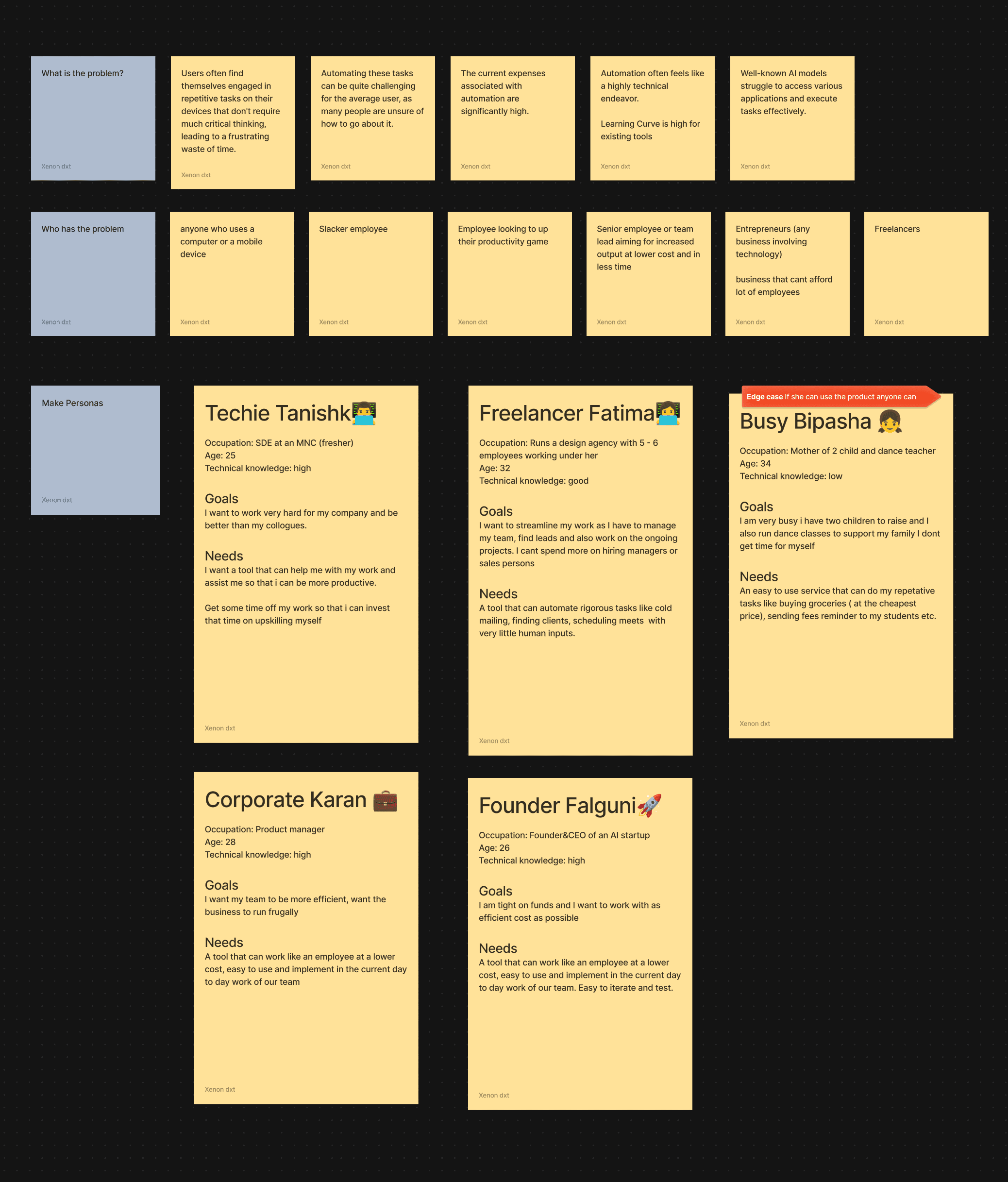
Defining the user
Analyzing Competitors

Zapier
What is does: Zapier is a no-code automation tool that connects different apps and services so they can work together automatically without needing manual input or custom code.
How it does: 🧩 How it works:
Zapier uses “Zaps”, which are automation workflows consisting of:
Trigger: An event that starts the workflow.
Example: A new email arrives in Gmail.
Action(s): What happens next in other app(s).
Example: Save the attachment to Google Drive and send a Slack message.
Goods:
Lots of Templates
Visually show kia h result in templates
Accessible resources to learn
Bads:
Technical Jargon
Three point of attention
Not Human( doesnt give back proper instruction)
Developer oriented

Manus
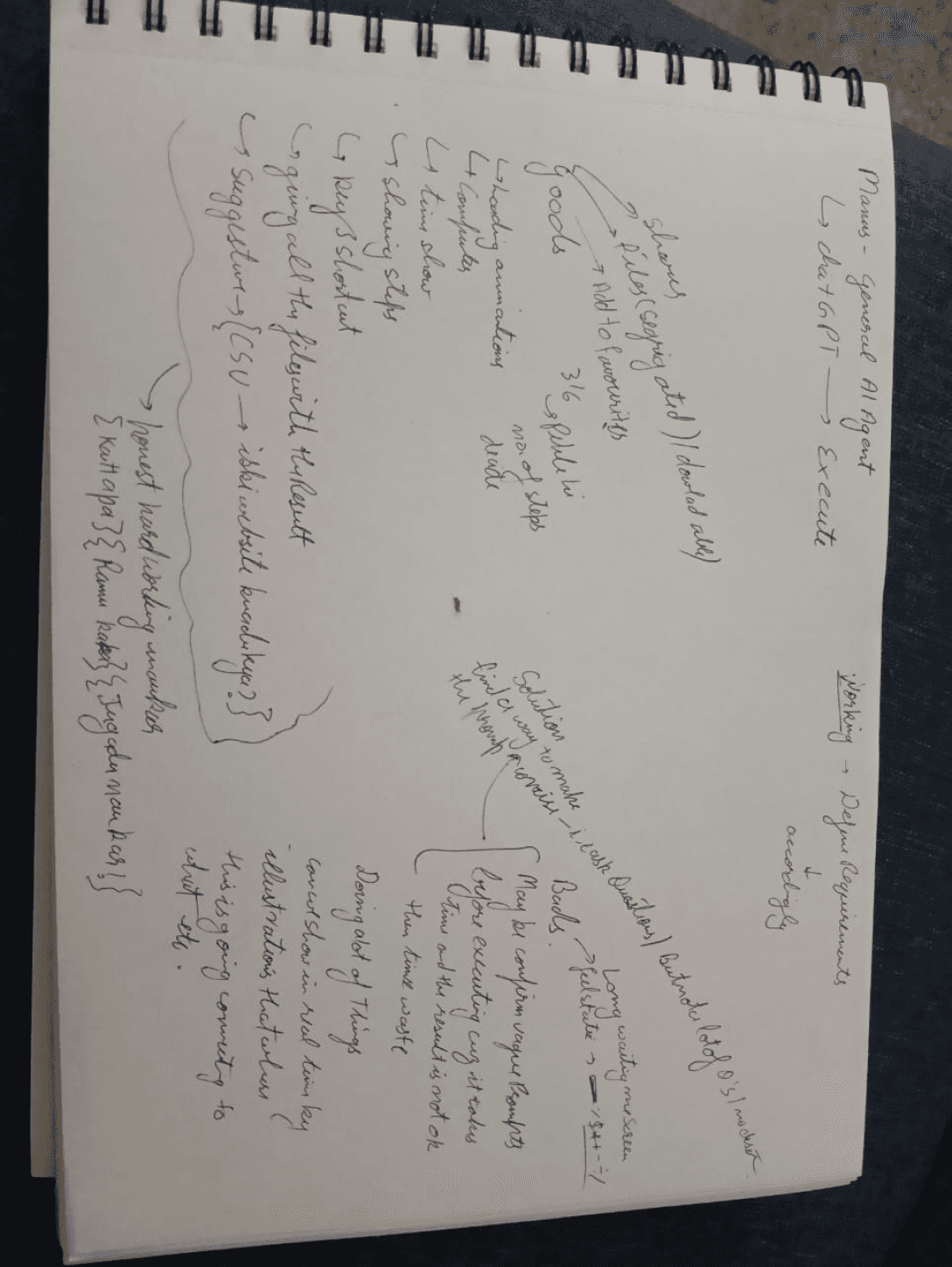
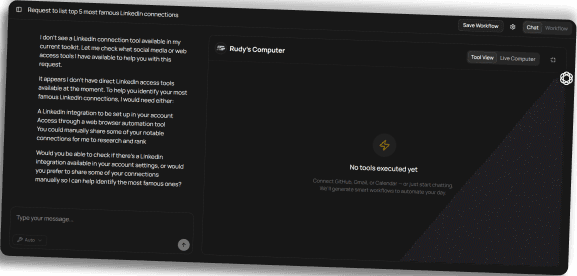
Direct
Competitotr
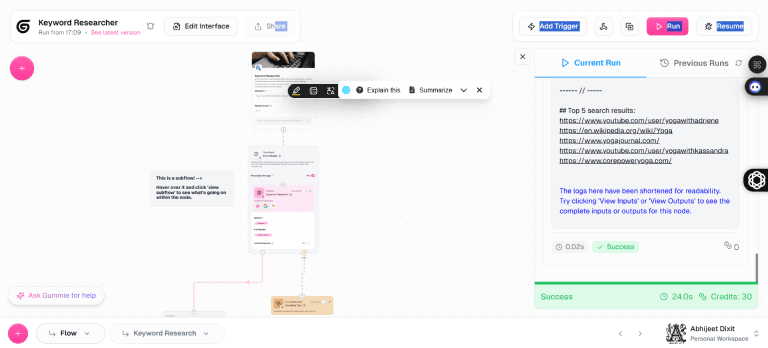
Gumloop
Gumloop is a no-code AI automation platform that enables users to design and deploy complex workflows without writing any code. By leveraging a visual drag-and-drop interface, users can build automated processes—referred to as "flows"—that integrate artificial intelligence capabilities for tasks such as data extraction, document processing, and web scraping.
Goods:
Design system
Bads:
only good design, ghatiya usability
UIpath
UiPath is a leading enterprise automation platform that specializes in Robotic Process Automation (RPA) and AI-driven workflows. It enables organizations to automate repetitive, rule-based tasks across various applications, thereby enhancing efficiency, reducing errors, and freeing up human resources for more strategic activities

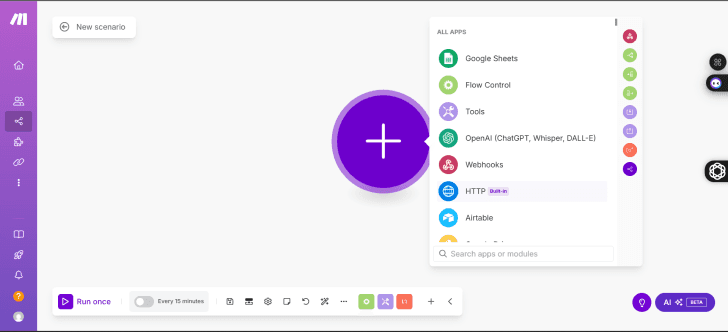
Make
makes scenarios and automate tasks by connecting apps
AI bhi use krta h but bina ai k bhi workflow is smooth

Goods:
very simple UI
Language used is quite normal no technical jargons rather used words that a normal user can understand
Every steps has suggestions about the next step
everything is at center and user can focus on performing one task at a time
well structures input forms
leaving something empty, you will not be allowed to go to next step
Bads:
AI properly integrated ??
Error messages and resolution can be improved
n8n
workflow automation tool that lets you connect different apps and services to automate tasks — much like Zapier or Make — but with a key difference: it’s open-source and self-hostable.

Goods:
Sharing
Bads:
Cluttered/ unusable workplace
file management system is confusing
Apify
Apify is a cloud-based platform designed for web scraping, , and data extraction. It enables users to collect structured data from websites at scale, automate web-based tasks, and integrate the extracted data into various applications or workflows

Goods:
Direct into the product
Very intuitive
same hai jo ho skta h vo skta jo nhi ho skta vo nhi ho skta
Bads:
least personalized
show scraped data in better way
Rapid API
🚀 Key Features
Extensive API Catalog: Access to thousands of APIs across various categories.
Code Snippets: Auto-generated code in multiple languages for easy integration.
Subscription Management: Flexible pricing plans and usage quotas.
Security: Secure API keys and authentication mechanisms.

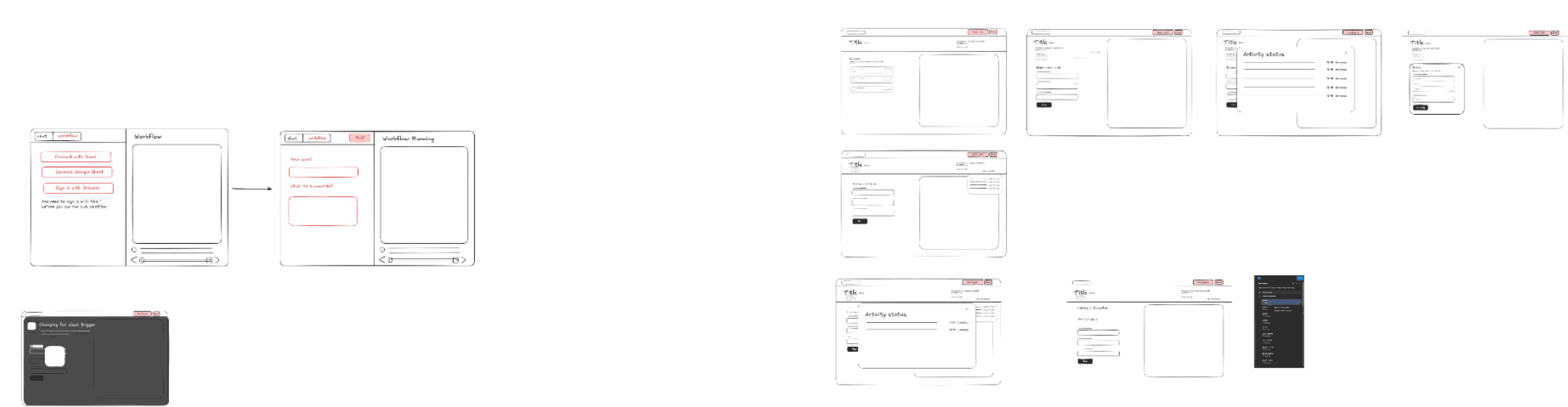
Userflow/ IA
I love using Excalidraw because it’s super easy for wireframing, especially for folks without a design background. It really makes collaboration a breeze!
Wireframing the user flows
Things to keep in mind



Hi Fidelity Designs

Landing page/ Marketing Website

Creating Launch Video
When I was tasked with creating a launch video for Runable’s beta mode, our marketing budget was tight — but creativity wasn’t. I used Midjourney and After Effects to generate stunning AI visuals and crafted a cinematic launch film. I also dove into cinematography, lighting, and sound design to make the video feel professional and emotionally engaging.
Key Learnings
Adapting to speed and uncertainty:
I learned to design, iterate, and make decisions quickly while balancing creativity with execution.
Understanding AI capabilities:
Building an AI-driven product helped me deeply understand how AI works and how it can shape future user experiences.
Cross-functional collaboration:
I gained hands-on experience collaborating with developers and improving design-to-development handoff processes.
Interactive web design:
I learned to create responsive, interactive web animations using Rive, which made digital experiences more dynamic and engaging.

Let’s Connect
Let's build something cool together!
ABHIJEET DIXIT 2025
Let’s Connect
Let's build something cool together!
ABHIJEET DIXIT 2025